Equip Drivers with the Driver App from Wise Systems

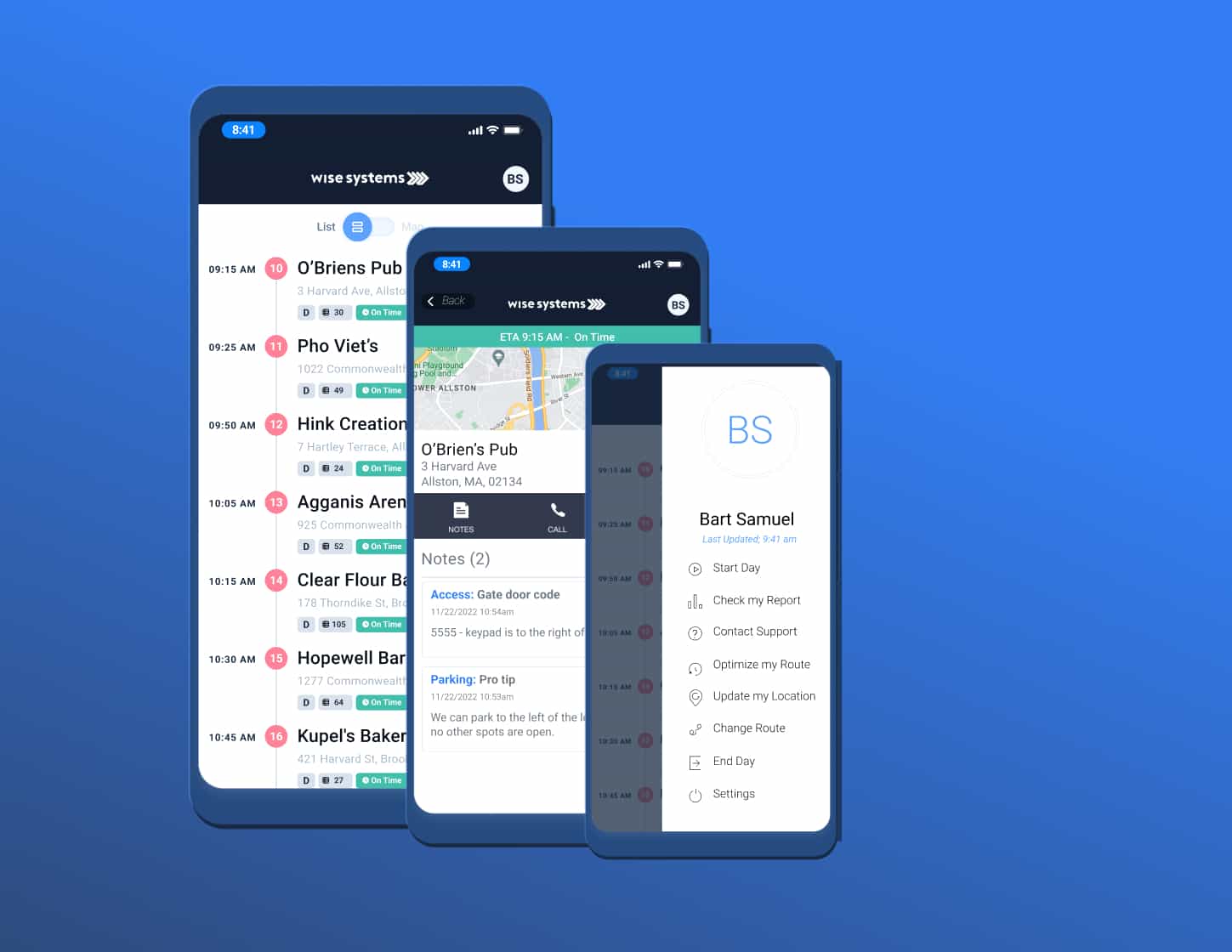
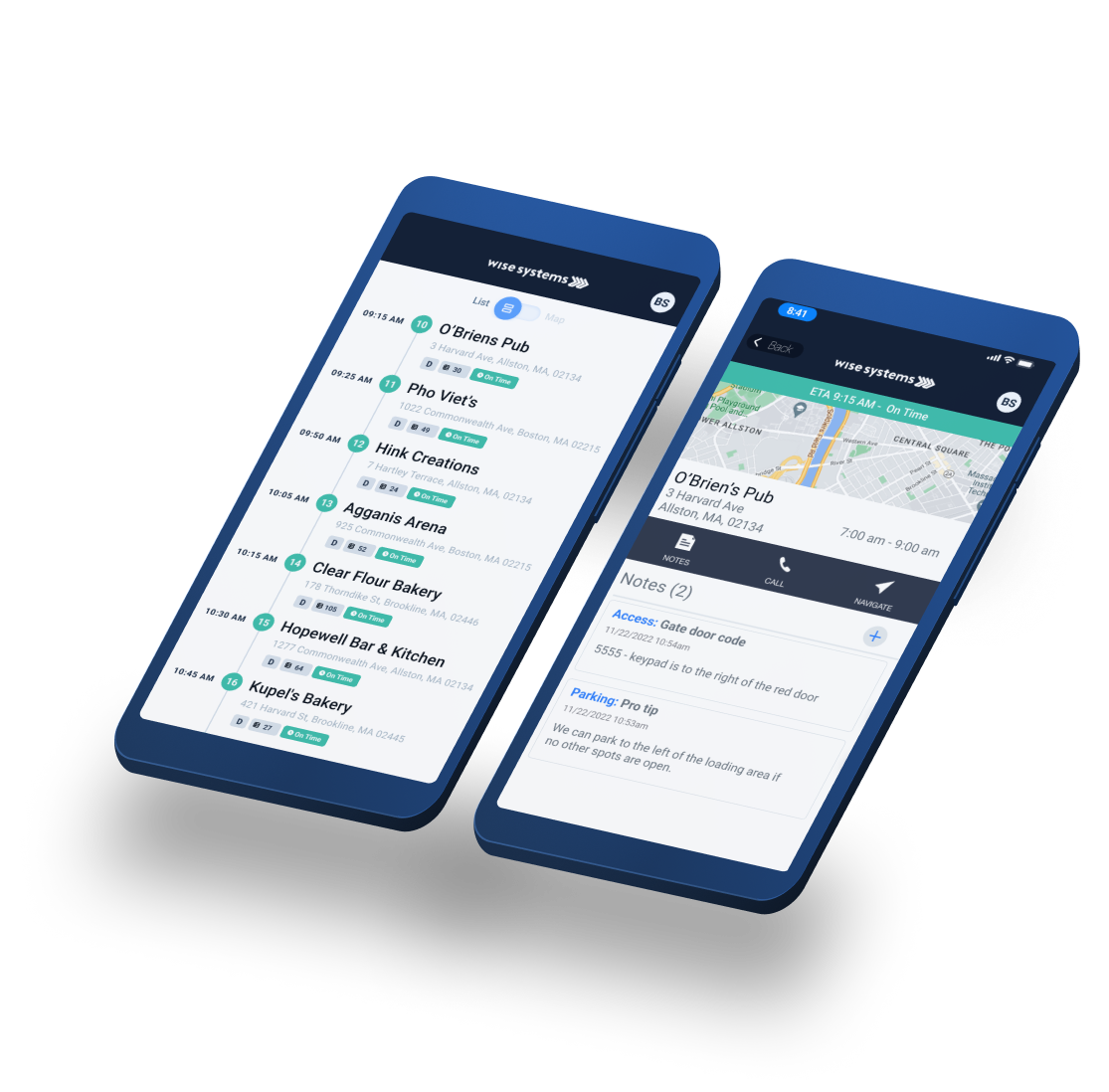
Give drivers the tools they need to manage last-mile routes, site visits, deliveries, and pickups. With Driver from Wise Systems, available on iOS and android, you can:

  • Enable better experiences for drivers and customers with improved communication and reduced paperwork.
  • Help drivers stay on time with end-to-end navigation in the apps they already use.
  • Give drivers the ability to see daily performance results
  • Get the data you need to improve fleet performance and efficiency over time.

How Driver works

A better driver experience behind the wheel and beyond
1

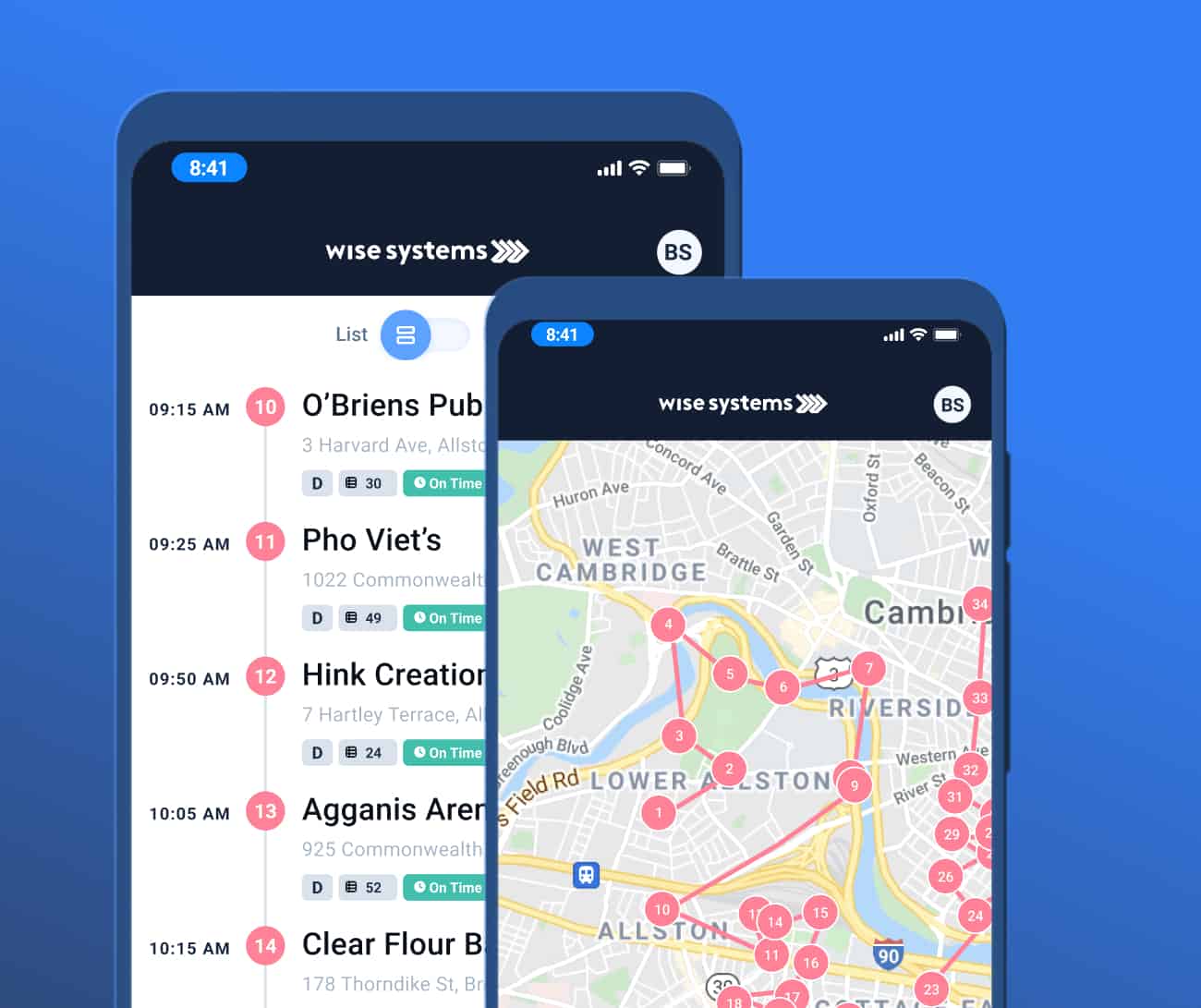
Drivers open the Driver app to see their routes and start their delivery day,

Get list and map views of the day’s stops along with full order details.
2

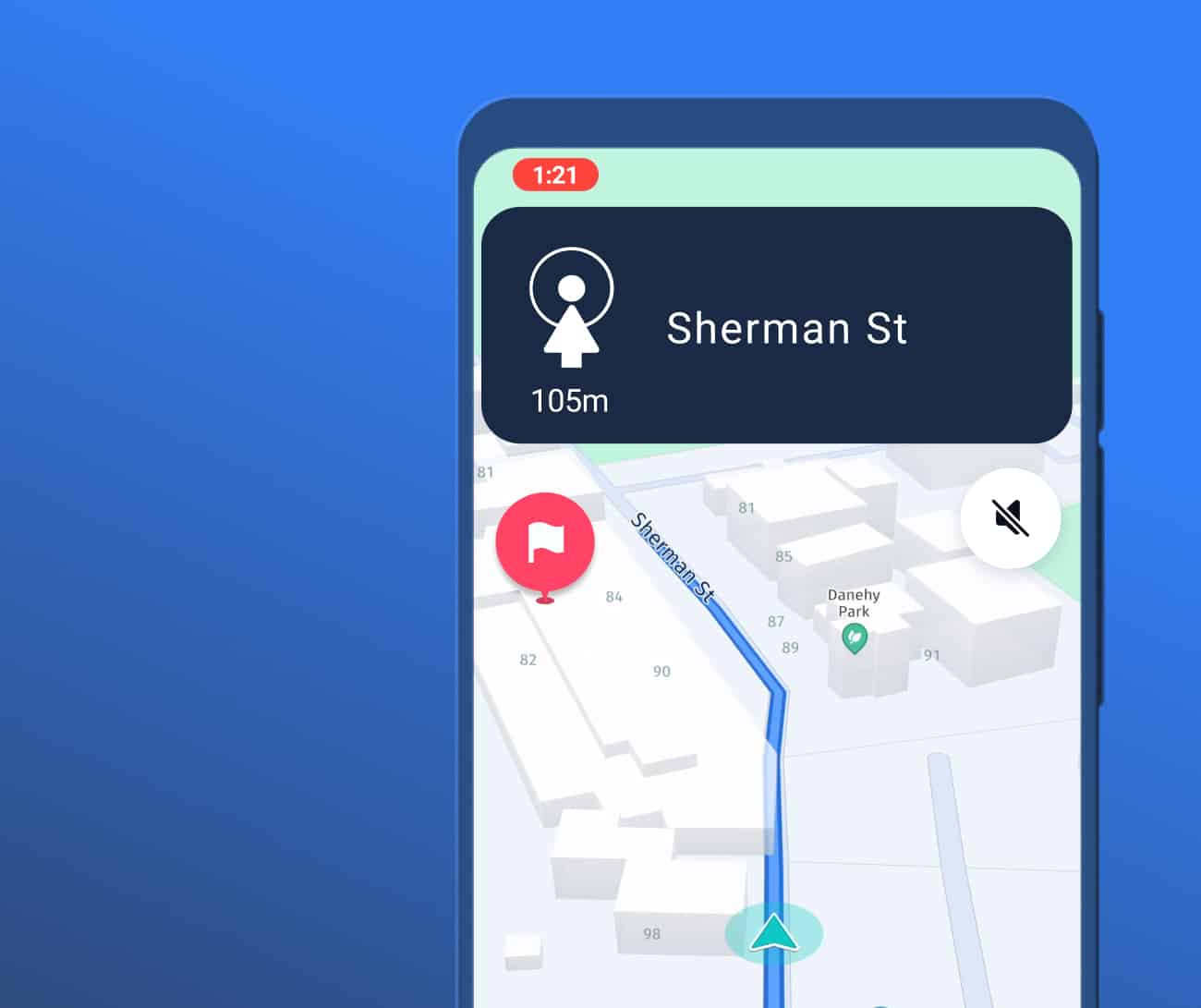
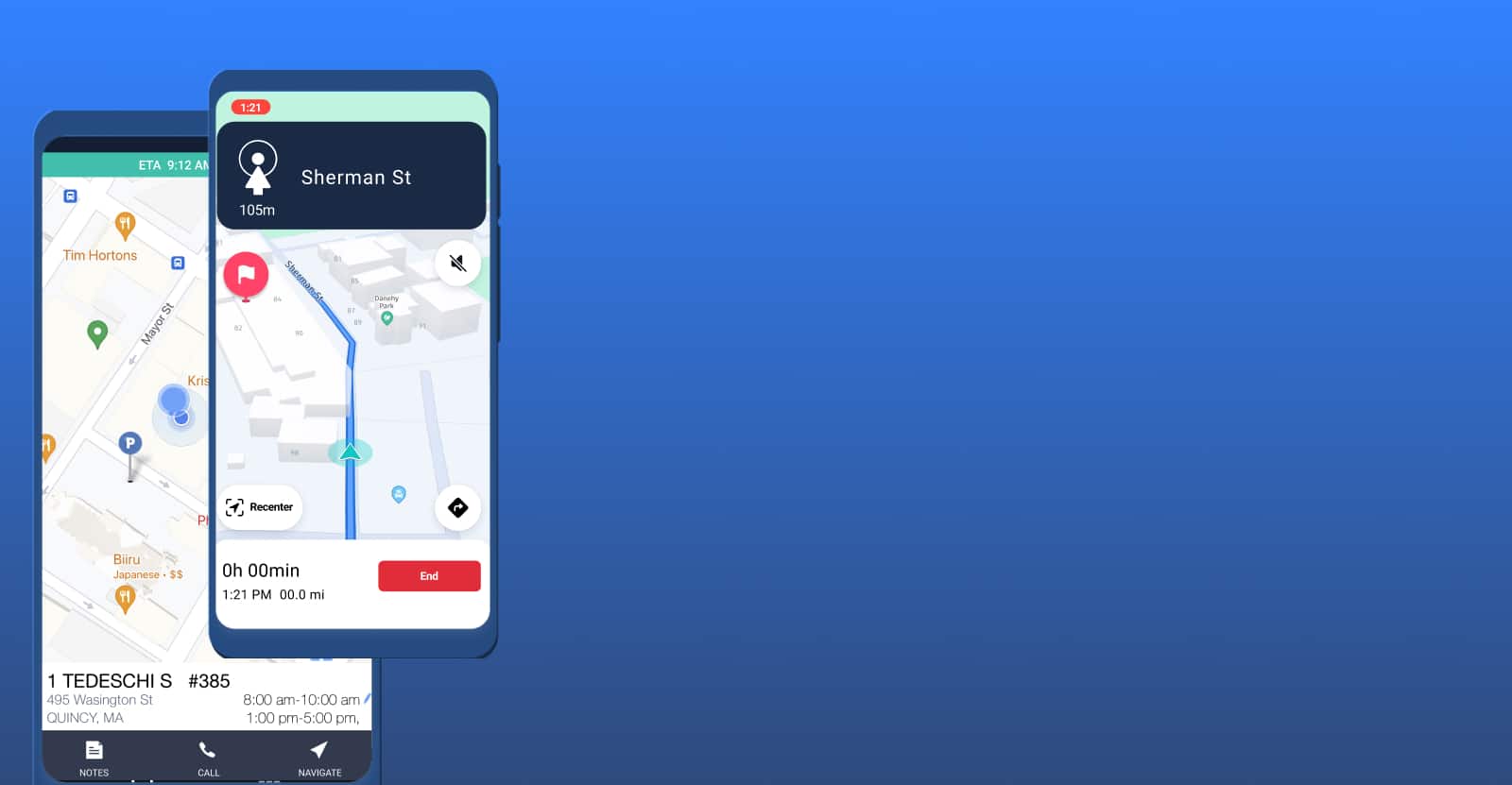
Then navigate between stops using the app they’re most familiar with.

Drivers can use Google Maps, Apple Maps, Waze, or HERE Technologies for point-to-point navigation.
3

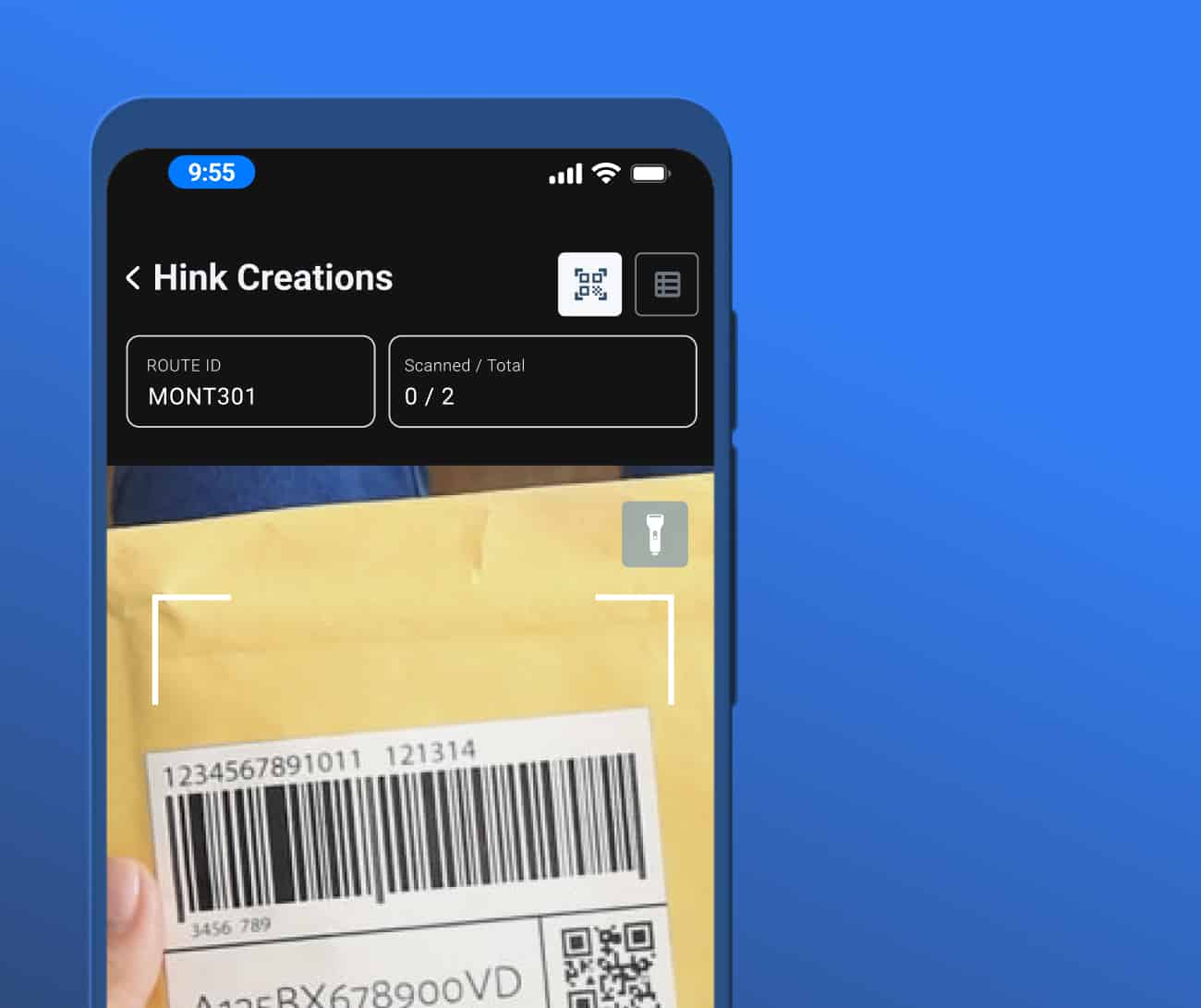
At each stop they collect proof of task completion,

Capture images, barcode scans, or e-signatures to confirm proof of delivery, pick up, or other stop-specific tasks.
4

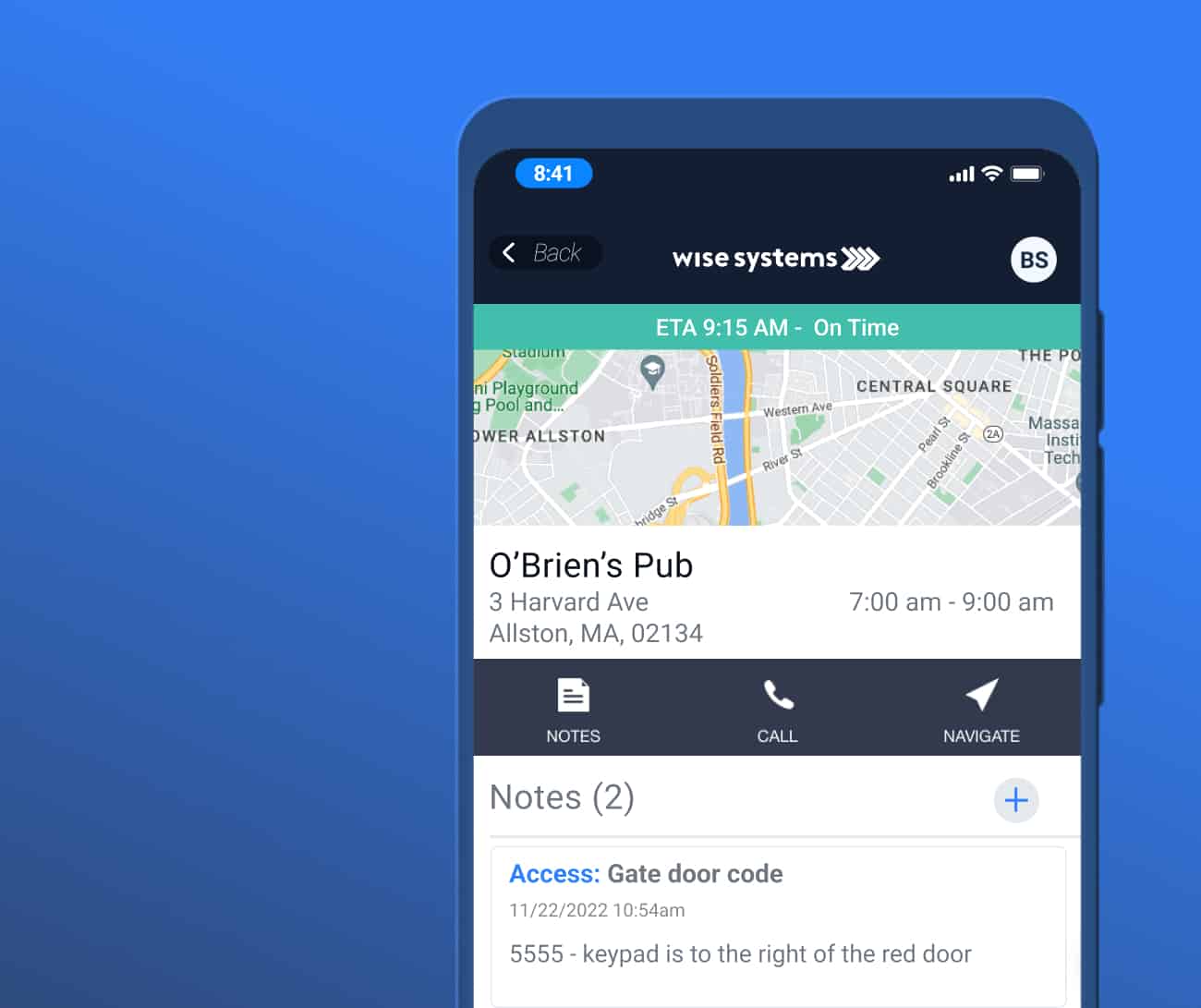
Share what they know,

Share details about the stop or customer so all drivers can offer the same level of customer service in the future.

Then move on to the next stop.

Jump to:

The right tool for route execution

Prepare

Perfect runs spring from preparation

The Driver app gives each driver the information they need before starting their routes, including:

  • Stop sequences via interactive maps and list views
  • Important details on stops, orders, and customers
  • Real time ETAs

Drive

Focus on the journey and the destination

See how the Driver app keeps dispatchers, managers, and customers in the loop while keeping drivers on plan.
Get there faster

Spend less time behind the wheel with turn-by-turn navigation. Save time at stops with notes and parking pins per stop from other drivers.
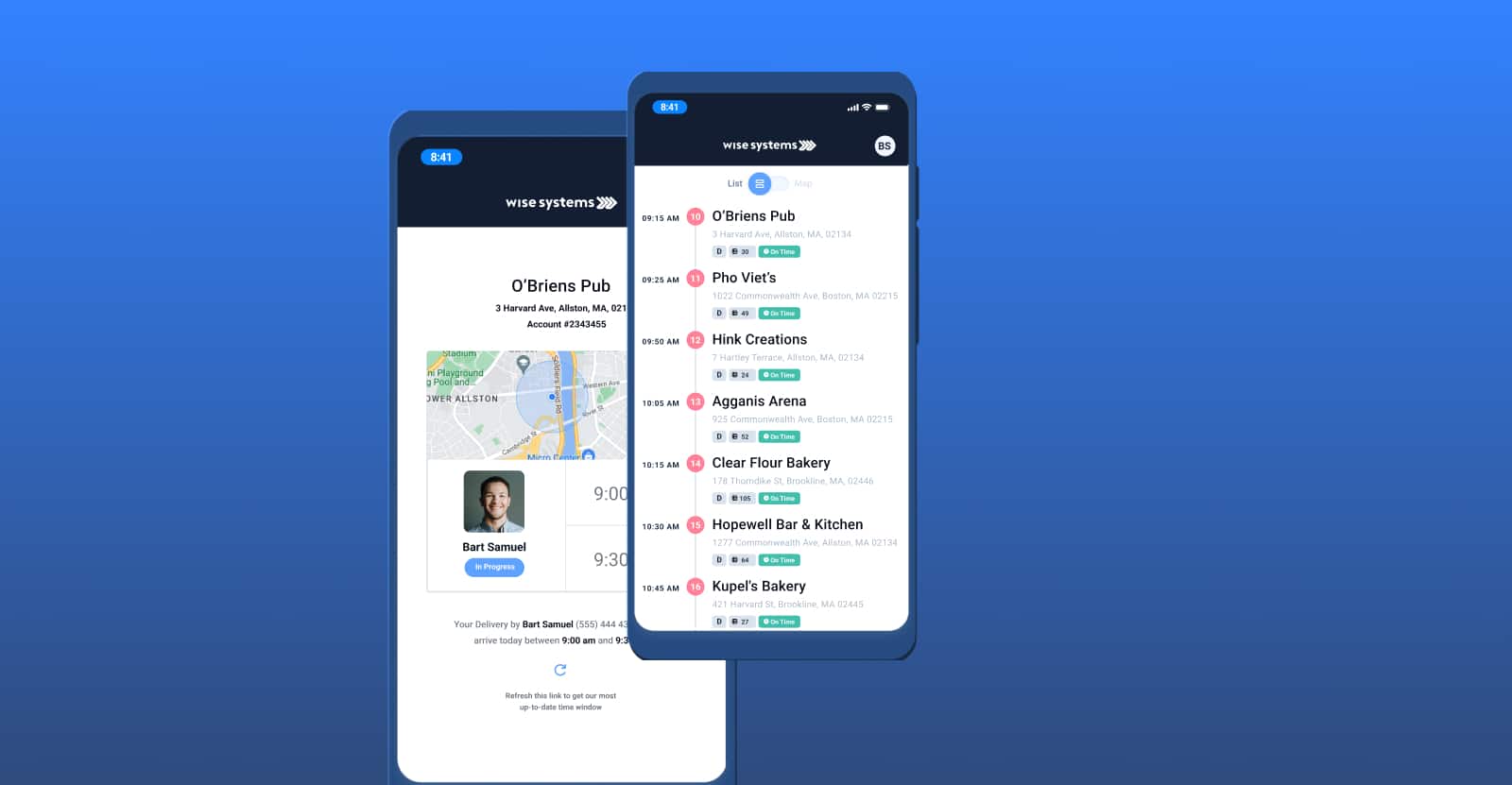
Focus on the road, not on sending updates

Give dispatchers, merchandisers, and customers anytime access into real-time route progress and ETAs.

Respond quickly to changes

Easily see and make task updates – such as changes in the number of items to pick up or drop off – via a clean, driver-friendly interface.
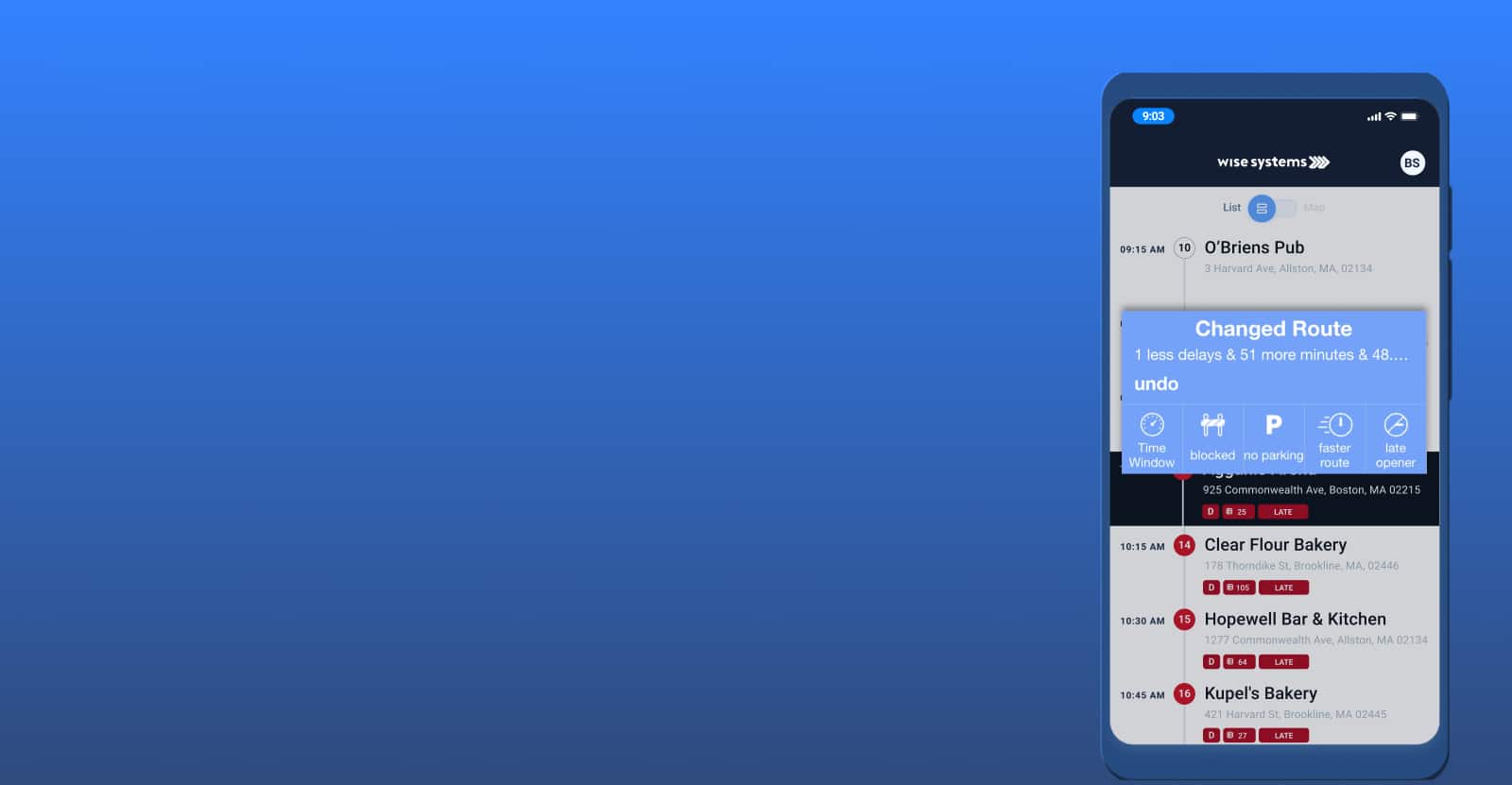
Prioritize important stops

See when you’re running behind with at-risk and late-arrival notifications. Then, rearrange stops as needed to stay on time.

Stop

Make more perfect stops

See how an easy-to-use interface empowers drivers to stay focused on the task at hand.

Improve the customer experience with Wise Systems dispatching software

Keep everyone in the loop

Give customers, dispatchers, and managers anytime access to route progress and ETAs in real time.

Get proof of delivery

Capture images, barcode scans, or e-signatures to confirm proof of delivery or task completion.

Route to parking

Guide drivers directly to ideal parking spots using pins dropped previously or by other drivers on your team.

Turn knowledge into value

Capture and share driver knowledge on stops and customers for better driver experiences and improved customer service.

Powered by the Dynamic Optimization Engine (DOE)

Learn how Wise Systems applications tap into the power of the DOE to make decisions, automate tasks, and offer suggestions that help your organization optimize routes during routing and dispatching. Respond to delays, and keep everyone up-to-date — ultimately improving experiences for employees and customers.
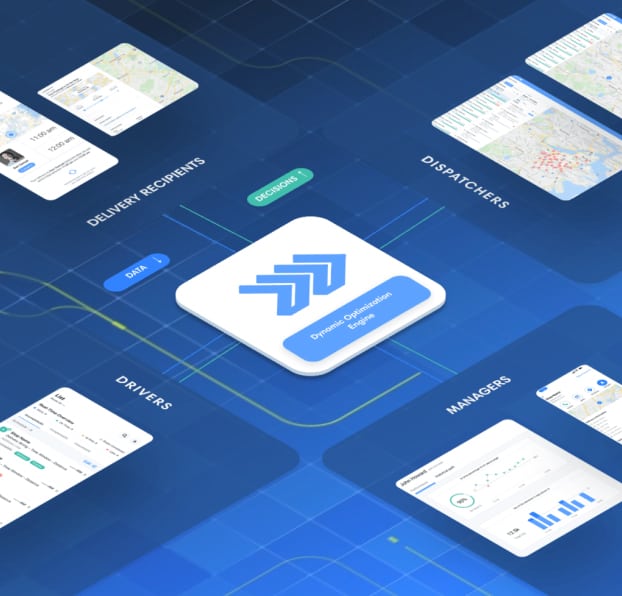
Leverage the power of the Dynamic Optimization Engine (DOE) to automate routing, drive fleet utilization, and optimize your routes during all stages of delivery.

Let’s talk.

We’d love to learn more about your routing challenges and see where we can help.

Some more info will help us get you in touch with the right people:

Frequently asked questions

The Driver app is the mobile app drivers use to run their day. It gives each driver their optimized stop sequence, turn-by-turn navigation, and real-time route updates, and it captures proof of delivery as stops are completed. The Driver app works alongside Route Planner, which builds the routes, and Dispatcher, which gives the office live visibility into how the day is unfolding.
The Wise Systems Driver App is compatible with Google Maps, Apple Maps, HERE Maps, and even Waze, giving your drivers the option to use their preferred navigation system. Truck-specific navigation systems are also available via HERE Maps.
Communication is key. The Wise Systems Driver App allows your fleet to communicate with each other about optimal parking locations, driving notes, time windows, and more. Our app gives drivers the ability to easily communicate and be transparent about day-to-day and hour-to-hour operations, improving your business’s last-mile delivery efficiency.
The Wise Systems Driver App gives the fleet manager full visibility to each and every one of their drivers. This allows you to know where a driver is, whether they’re in route or currently completing a delivery, how many stops they have left, and whether stops are on-time, or are at risk of being late. This complete transparency throughout the last-mile delivery process allows fleet managers to monitor driver & delivery status and keep things running smoothly.
Driver tracking software is a system made to help businesses that manage large and small fleets improve their delivery operations. Driver tracking software offers an extensive array of features that can benefit your business in many different ways. This software allows for routes to be optimized, helps with real-time tracking updates from drivers, and gives managers insights on how to improve fleet and driver performance. Learn more about all the benefits of driver tracking software.
Drivers see their day as both a list view and a map view, with each stop showing customer details, delivery notes, gate codes, parking pins, and contact info. To navigate, the driver swipes a stop and chooses a map provider — Google Maps or HERE maps with truck-compatible routing, which is built directly into the app. Truck routing helps drivers of larger vehicles avoid roads and obstacles unsuitable for their vehicle.
The app supports signature capture and delivery photos, and can require them at the stop level or per inventory line when an order has multiple items. Signatures and photos sync back to the dispatcher in real time, and can be exported at the end of the day. Operations going paperless use these in-app confirmations to replace paper delivery records.
Yes. As drivers arrive, complete stops, and depart, their status updates flow back to Dispatcher within seconds. If a driver is running behind, the system flags the at-risk stop automatically, so dispatchers can see delays as they happen rather than after the fact. This keeps planned-versus-actual times accurate without manual reporting.
Yes. With geofencing and auto arrive/auto depart, the app records arrival and departure at each stop without the driver entering it manually. Operations can set a fixed geofence radius around each location, which improves the accuracy of service-time data while reducing taps for the driver. Manual arrive/depart is also supported for drivers who prefer it.
Yes. The Driver app supports barcode scanning and inventory steps at the stop, so drivers can verify parts, confirm quantities, and log reason codes or photos when a delivery differs from the order. This is a strong fit for operations like auto parts, equipment rental, and beverage, where item-level accuracy matters.
The Driver app is a mobile app drivers run on a phone or tablet, with built-in navigation so they don’t need to install a separate maps app. Drivers dispatch themselves at the start of the day with a single “start day” action, then work their stop list from there.
Yes, the Driver App integrates with many existing telematics providers, ensuring that your in cab devices and the app are aligned on arrival and departure time. The Driver App can even trigger arrival and departure from your telematics tool, ensuring a hands-free experience for your drivers.

Like what you see? Sign up for our newsletter.